
These are the steps to add a book to your Canvas course.
-
Open a Course and go to the Modules tab. Click the
+button in the module header.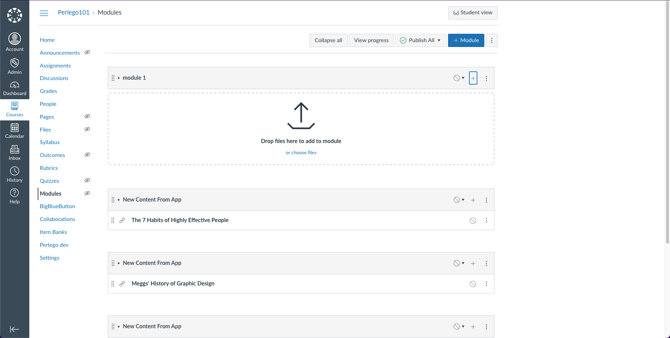
-
Select
External toolfrom the dropdown. Perlego should be displayed as an option. Select Perlego.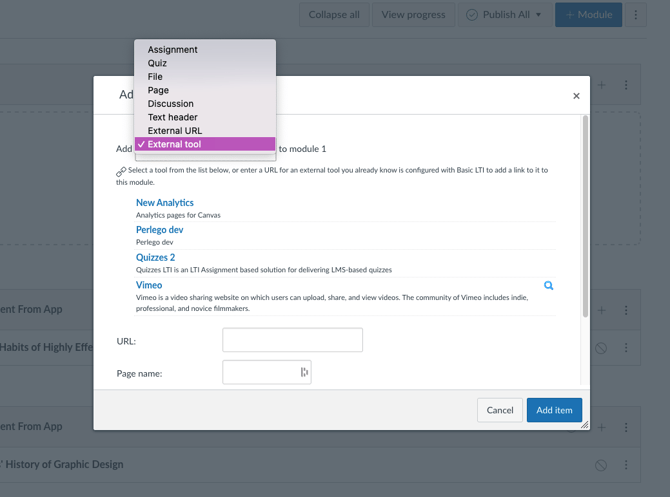
- The Perlego book finder will open. Search for the book you want to link and click
Submit..png?width=670&height=422&name=Untitled%20(4).png)
-
Ensure you select
Load in a new tab, then clickAdd Item..png?width=670&height=478&name=Untitled%20(5).png)
-
Students will be able to click on the link you’ve added and it will open the book in Perlego.